I recently bought Akko 3068 keyboard and it doesn’t come with OS switch. So, we have to rely on software to do it.
There are two choices available
- Karabiner (need to install separately)
- MacOS Keyboard Modifier (do not need separate installation)
I went with option 2 and used MacOS System Setting to modify and remap keys.
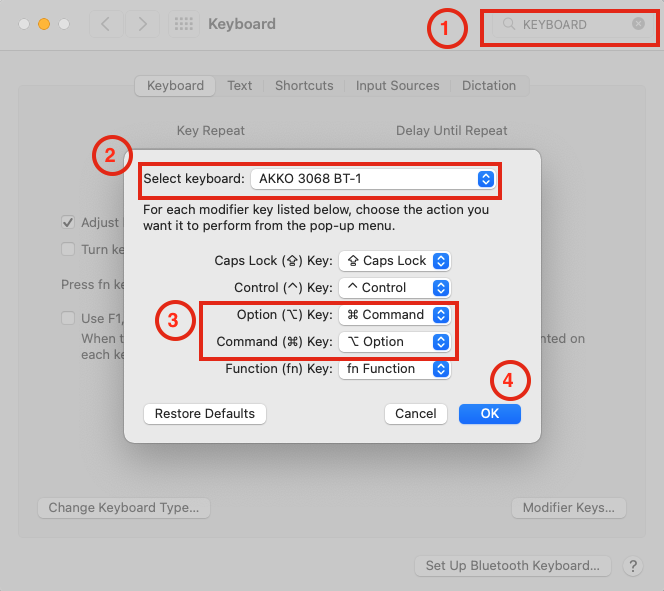
Remapped keys
| Alt | Command ⌘ |
|---|---|
| Win | Option⌥ |
Steps
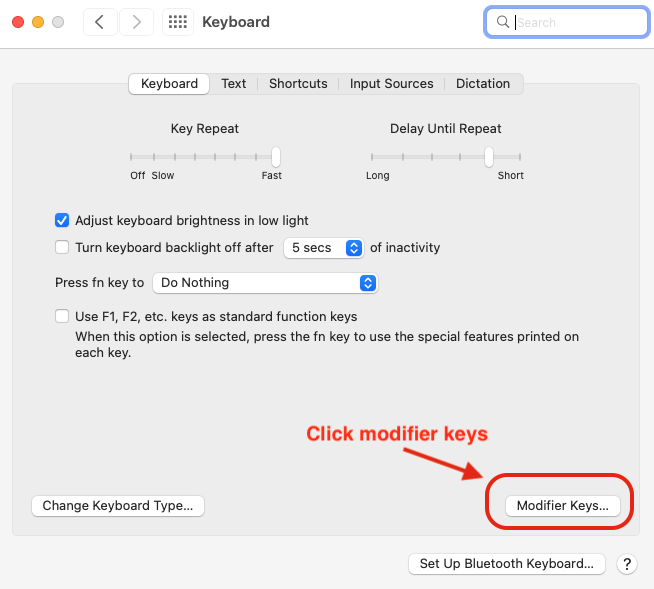
- Open System Settings -> Keyboard
- If you have multiple keyboard then choose the one that you want to remap keys.
- Click in modifier keys
MacOS Keyboard Settings
■ END OF ENTRY 143