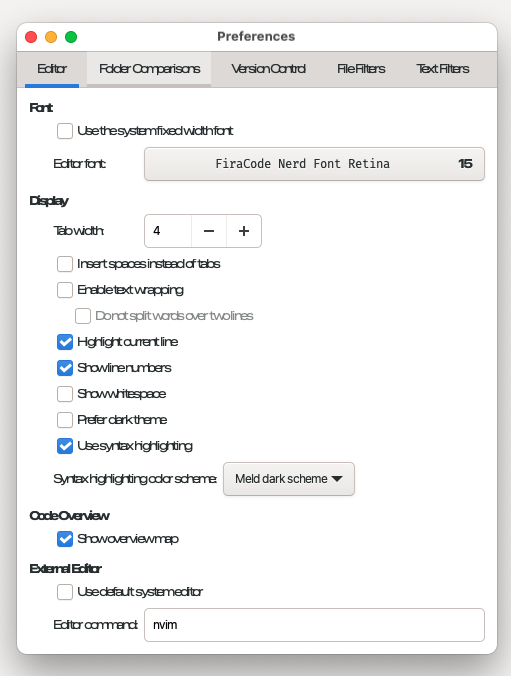
Meld is my go-to visual diff tool. On macOS (Apple Silicon), its interface text started rendering with no spaces between words. Labels in the Preferences dialog looked like this:
Usethesystemfixedwidthfont
Insertspacesinsteadoftabs
Showlinenumbers
Usesyntaxhighlighting
The problem was everywhere: tab labels, checkboxes, column headers, buttons.
TL;DR
- Install the maintained macOS build:
brew install --cask meld - Create
~/Library/Application Support/org.gnome.Meld/gtk-3.0/gtk.csswithletter-spacing: 0.4px - Quit Meld fully (Cmd+Q) and reopen it
The rest of this post explains why, and the dead ends worth avoiding.
Interface font vs editor font
Meld uses two different fonts:
- Interface font: menus, labels, dialogs, buttons. Controlled by GTK. This was the broken one.
- Editor font: only the diff panes. Controlled by Meld's own preference (Preferences → Editor → Font).
Changing the editor font in Meld's preferences does nothing for the interface. I lost time there, so check which one you're actually looking at first.
Two stacked problems
The symptom had two independent causes:
- An outdated app build caused the severe run-together text.
- The GTK bundled with the app has cramped font metrics, which leaves the letters tight even after fixing #1.
Fixing only the first one gives readable but cramped text, which made it look like the fix hadn't worked.
Step 1: Install the maintained build
There have been a few macOS builds of Meld over the years. The old yousseb/meld build is abandoned and had known font problems. The current one is dehesselle/meld_macos, which Meld's homepage links to. Homebrew's meld cask installs it:
brew update && brew install --cask meldCheck Meld → About. I ended up on 3.24.1 (1672).
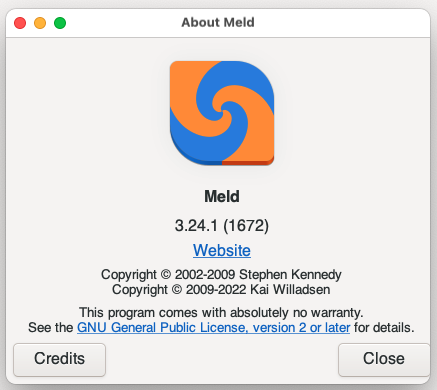
That fixed the run-together words. Letters were still cramped, though.
Step 2: Find where the app bundle reads its GTK config
Almost every GTK theming guide says to edit ~/.config/gtk-3.0/gtk.css. That doesn't work for the Meld macOS app. The bundle's launcher sets XDG_CONFIG_HOME before Meld starts, so GTK never looks in ~/.config.
You can see this in the launcher binary:
grep -a -o "XDG_CONFIG_HOME[^ ]*\|FONTCONFIG_PATH[^ ]*" /Applications/Meld.app/Contents/MacOS/* 2>/dev/null
The launcher follows the usual gtk-mac-bundler pattern and points the config directory at the app's bundle identifier under Application Support. Watching file access while Meld starts confirms where it looks:
sudo fs_usage -w -f pathname Meld 2>/dev/null | grep -i -E "settings\.ini|gtk\.css|keyfile|dconf|gsettings|org\.gnome\.meld|glib-2\.0|gtk-3\.0"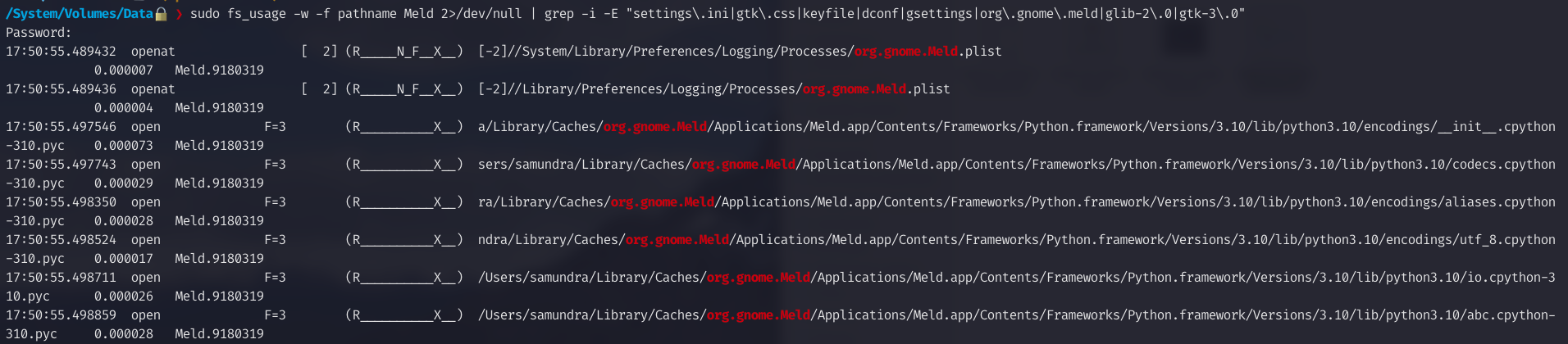
On my machine that directory already existed, with an empty gtk-3.0 folder that GTK had created on first launch:
ls -la ~/Library/Application\ Support/org.gnome.Meld/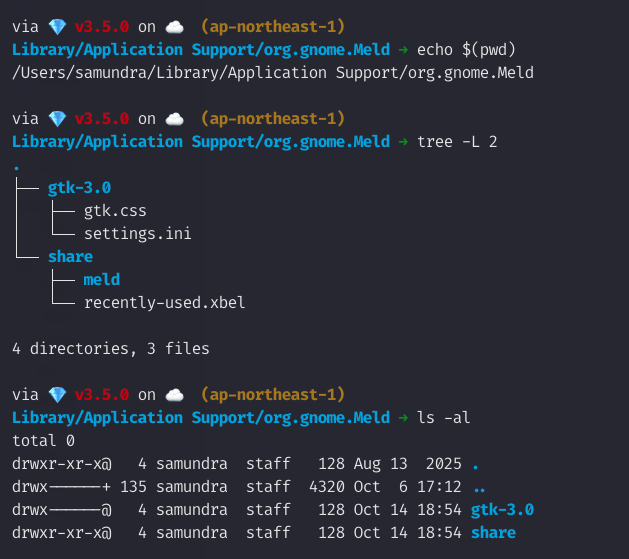
So the GTK config goes here:
~/Library/Application Support/org.gnome.Meld/gtk-3.0/gtk.css
~/Library/Application Support/org.gnome.Meld/gtk-3.0/settings.ini
Reading Meld's source code won't tell you this path. Meld stores its settings through GSettings and never names a file path; the location comes from the macOS packaging.
Step 3: Add the CSS fix
Create gtk.css in that directory:
/* Fixes cramped interface text in the Meld macOS bundle.
   The bundle overrides XDG_CONFIG_HOME, so ~/.config is ignored. */
* {
  letter-spacing: 0.4px;
  font-size: 16px;
}
letter-spacing: 0.4px is the actual fix. font-size is optional, set it to taste.
Quit Meld fully with Cmd+Q (closing the window isn't enough) and open it again.
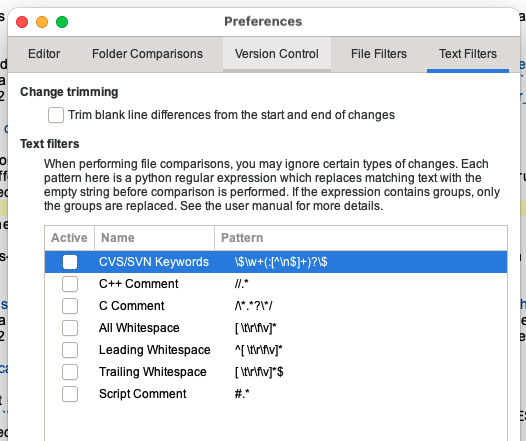
If the * selector affects the diff panes in a way you don't like, limit it to interface widgets:
window, label, button, menu, menuitem, headerbar, notebook tab {
  letter-spacing: 0.4px;
}
How to check the file is being read
Start Meld from a terminal:
/Applications/Meld.app/Contents/MacOS/MeldGTK prints warnings for anything it can't parse, with the file path. A warning naming your file proves GTK read it. For example, I tried gtk-hint-font-metrics in settings.ini and got:
Gtk-WARNING **: Unknown key gtk-hint-font-metrics in
~/Library/Application Support/org.gnome.Meld/gtk-3.0/settings.ini
That key is too new for the GTK version in this build, but the warning confirmed the path was right.
To check a CSS rule is applied, set something obvious like color: red and restart. Don't test with a made-up font-family: if the font was already falling back to the default, another bad name looks exactly the same.
Dead ends
pip install meld: themeldpackage on PyPI is an unrelated single-cell biology library, not the diff tool. Meld is a GTK desktop app and isn't installed with pip.- "Corrupt" .dmg: the
.dmgfrom GitLab was reported as damaged. This is most likely Gatekeeper quarantine on an unsigned build;xattr -d com.apple.quarantine <file>.dmgandxattr -cr /Applications/Meld.appshould help. I didn't confirm this because the Homebrew install worked. - GTK Inspector (
GTK_DEBUG=interactive): doesn't open on macOS. ps eww/lsof: macOS hides other processes' environment variables, and the settings files are only open for an instant.
A note on how this was debugged
I used an AI assistant to help debug this issue. It helped narrow down the causes and suggest commands like the launcher grep and the fs_usage trace. I ran and verified every step on my own machine before writing it up.
References
■ END OF ENTRY 152